Self-publishing tools for Amazon KDP
How do you self-publish on KDP with BuildPDFs? A KDP paperback is two PDFs: the interior and the cover. Upload your manuscript to the book formatter and export a print-ready interior at your trim size. Put its page count into the free KDP cover calculator to get the cover size and a template. Then upload both files to KDP and check them in the Print Previewer. KDP charges nothing up front; the print cost comes out of each sale.
- 1
Format the interior PDF
Upload your manuscript to the book formatter for KDP interiors and pick a trim size such as 6 × 9 in. Or start from the KDP 6 × 9 interior template. Export the PDF and note the final page count.
- 2
Get the cover size
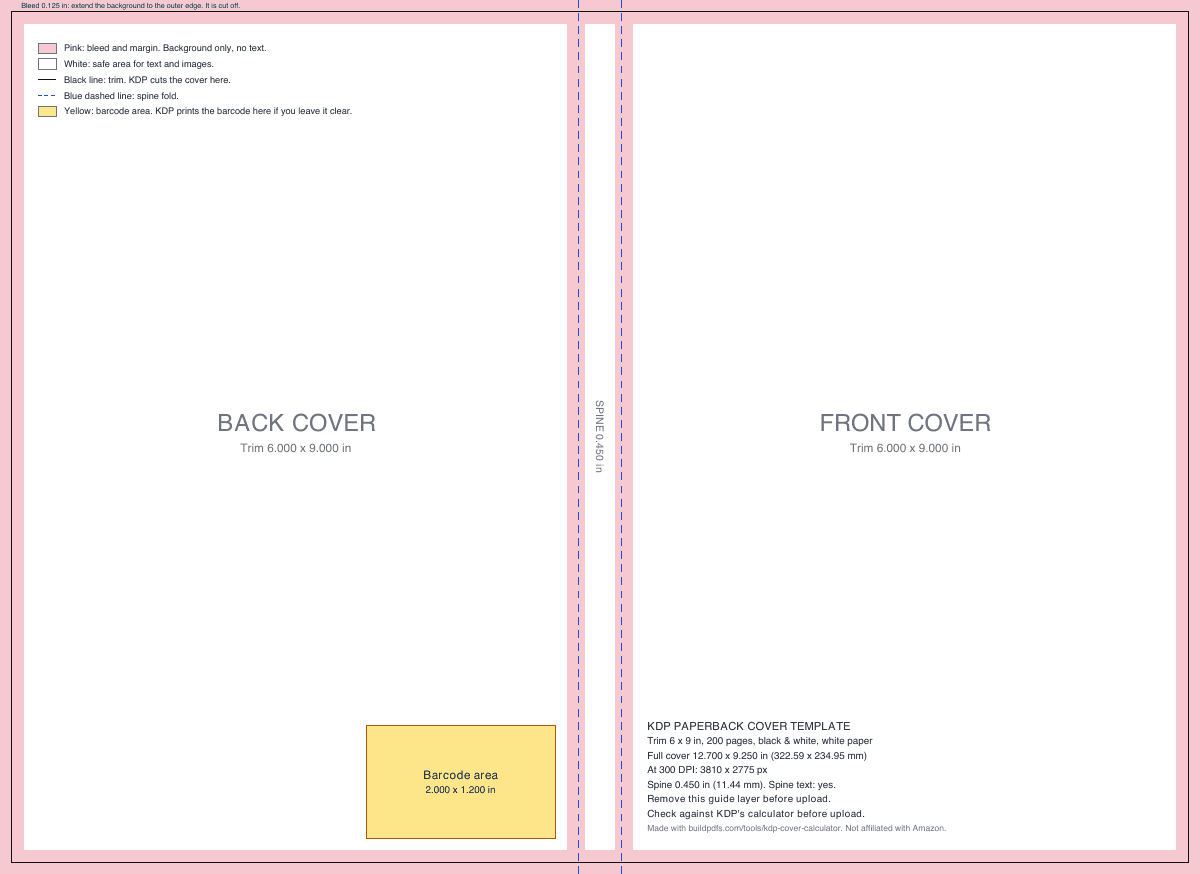
Enter the trim size, page count and paper in the KDP cover calculator. It gives the full-wrap size, the spine width and a free template PDF to design the cover on.
- 3
Set the price and the ISBN
Pick a free KDP ISBN or your own, and price the book. The KDP print cost and royalty table shows why $9.99 is the price line that matters on Amazon.com.
- 4
Upload, preview and order a proof
Upload both PDFs in KDP, check every page in the Print Previewer, then order a proof copy. Use the pre-upload checklist for KDP files before you click Publish.
Real interior files, ready to open
These are PDFs our templates make, not mock-ups. Open one next to KDP’s rules and check the trim, the margins and the page numbers yourself.
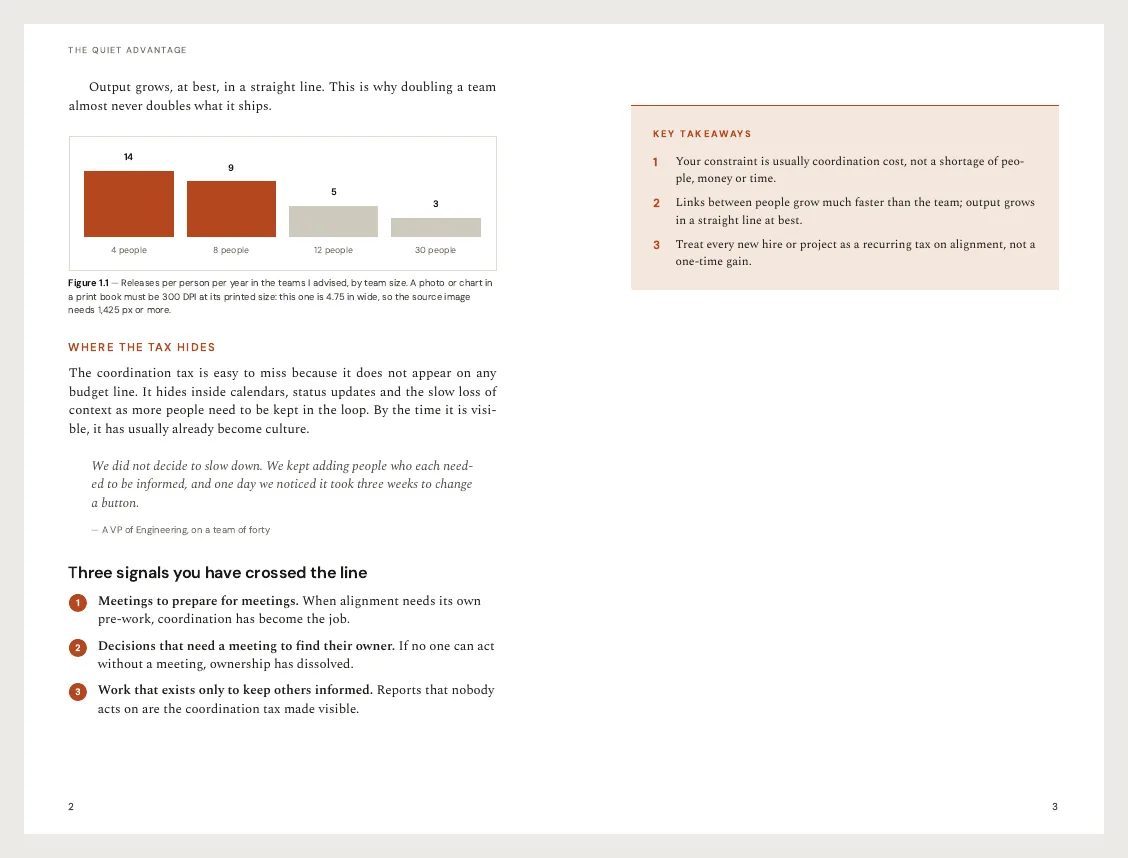
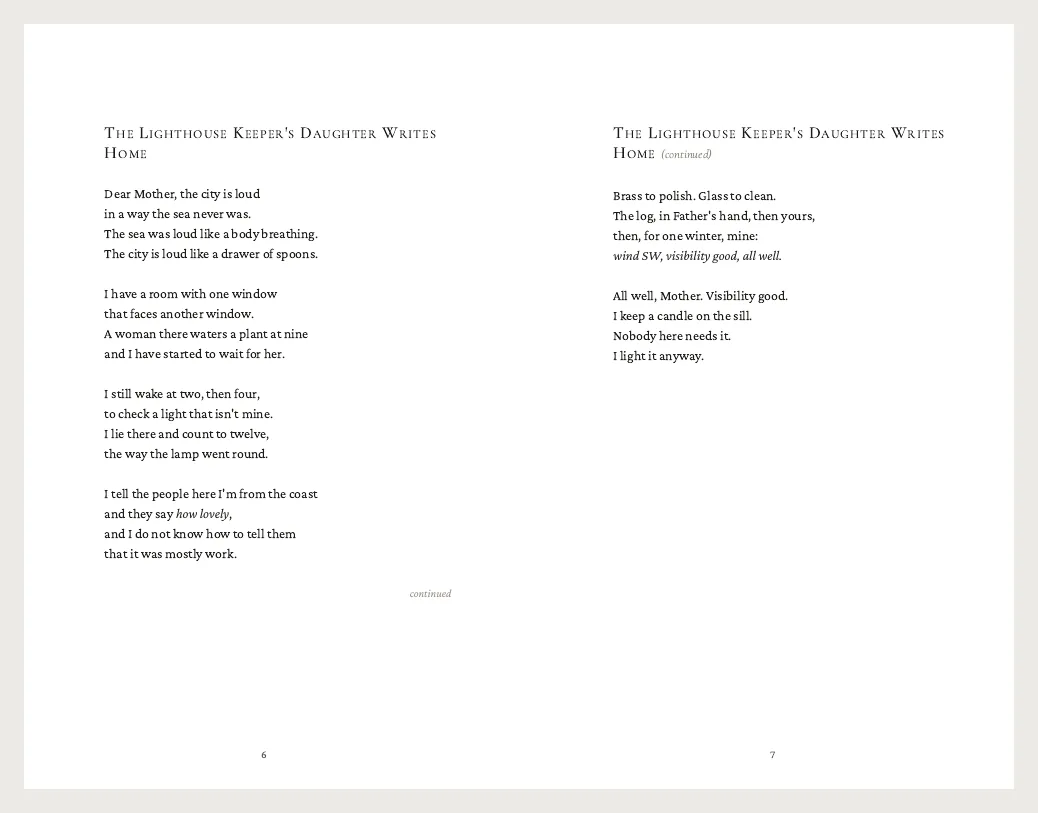
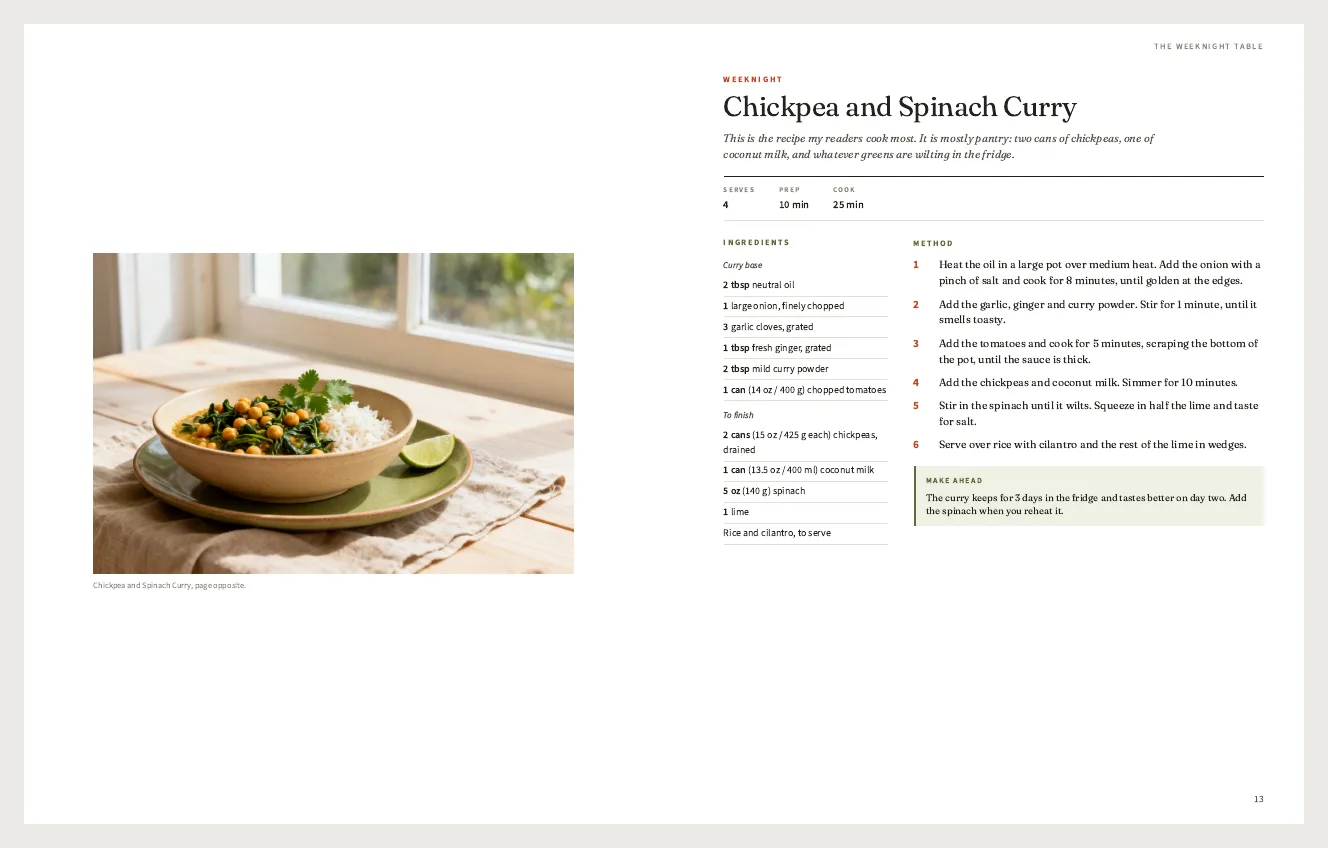
What the book formatter sets for a KDP interior
- Any trim size: 6 × 9, 5.5 × 8.5, 5 × 8, 8.5 × 11 in and more
- Mirrored inside and outside margins, wide enough for KDP's gutter rules
- Chapters that start on a right-hand page
- Running heads, and page numbers that skip the front matter
- A table of contents with real page numbers
- Embedded fonts
- Upload of .docx, .md, .txt, .pdf or .epub text
- Changes by chat: chapter openers, fonts, spacing, front matter
Try the AI book formatter free: upload a chapter, pick a template and download the PDF.
KDP and book interior templates
 KDP 6 × 9 paperback interior templateNonfiction. A 0.75 in gutter, roman numbers in the front matter, page 1 at chapter one and a pre-upload checklist page.
 Print-ready 6 × 9 book templateEvery part of a book, labelled: half title, copyright, contents, chapter openers on right-hand pages, back matter.
 5.5 × 8.5 poetry book templateContents by poem title, one poem per page, stanzas that do not split across pages.
 5.5 × 8.5 novel interiorLiterary fiction with drop caps, scene-break ornaments and mirrored margins.
 8 × 10 self-publishing cookbook templateOne-page recipes, photo spreads and an index by ingredient. Photos stay inside the margins, so no bleed is needed.
 Classic 6 × 9 book manuscript layoutHalf title, title, copyright and dedication pages, a contents page and chapter openers with drop caps.
 Modern 6 × 9 nonfiction bookSubheads, pull quotes and key-takeaway boxes with one accent color.
 Recipe book layoutA shorter recipe collection for an ebook or a gift.
See all book and publishing templates.
Tools
- Book formatter for KDP
Upload a .docx, .md, .txt, .pdf or .epub manuscript and get a print-ready interior PDF.
- KDP cover calculator and template
Full-wrap cover size, spine width and a free PDF or PNG template. Paperback and hardcover.
- AI book generator
Start from an outline or notes and get a designed book with chapters and a contents page.
Guides
- How to self-publish a book on KDP
8 steps with the real files, KDP's margin rules, print costs, royalties and a checklist.
- How to make and self-publish a cookbook
Recipe testing, photos, an 8 × 10 layout and KDP color print costs.
Compare book formatting software
- BuildPDFs vs Vellum
Vellum is Mac only. Compare price, platform and print output.
- BuildPDFs vs Atticus
Atticus formats a finished manuscript. Compare the two ways to make a KDP interior.
- BuildPDFs vs Kindle Create
Amazon's free app for Kindle ebooks, compared with a print PDF interior.
Not affiliated with Amazon. KDP is a trademark of Amazon.com, Inc. KDP rules on this site link to KDP Help and show the date we checked them.